.
Showing posts with label software. Show all posts

Saturday, September 14, 2013

Computer Hardware and Software Problems

There are many computer problems due to software, especially due to issues with the Operating System. Here are some of the common issues and how prope
Computer has become very slow


There are many reasons for this issue.

Windows registry problems Corrupted files Software taking lot of memory (such as Antivirus software) Hard disk failures Infected with virus and spyware

PC is rebooting automatically at start-up

The main reason for this problem is a program, which is causing your PC to re-boot as soon as the program is loaded. That program may be corrupted or not installed properly, which is causing the issue.

To resolve this, you must run the Windows Regedit utility in the safe mode. Here is how to do it.

Tuesday, October 25, 2011

How to make a computer faster

How can maintain my computer faster or increase my computer speed

By following a few simple guidelines, you can maintain your computer, help increase your PC speed, and help keep it running smoothly. This article help to make your computer faster, maintain your computer efficiently, and help safeguard your privacy when you're online.

How to speed up my computer - Using flash drive or flash memory card

Using flash drive or flash memory card in your storage device to speed up your computer

ReadyBoost can speed up your computer by using storage space on most USB flash drives and flash memory cards. When you plug a ReadyBoost-compatible storage device into your computer, the AutoPlay dialog box offers you the option to speed up your PC using ReadyBoost. If you select this option, you can choose how much memory on the device to use for this purpose.

Saturday, October 22, 2011

How to eliminate the needless visual effects for better windows performance?

For example, you can add pictures on folders and drop shadow on icon to give you better look but it will effect on the performance of your computer, especially on an older computer. Window XP has many default graphics which is not so useful for a common user, if you re-adjust these graphics then there is less effect on the user activities but the performance of computer will be increased tremendously. Here I will tell you how to choose:                                                                                             To edit these settings, first you should log onto your computer with administrative rights.

Friday, October 21, 2011

Windows Run Commands

List of Windows Run Commands
 
Instead of navigating through a hundred Windows and dialogs, you can start a number of Windows’ utilities from the Start & Run ([Windows] + [R]) dialog itself.

The computer works fine for a few hours and then freezes

The computer works fine for a few hours and then freezes

Cause: If your Systems CPU is Overheating this symptom is typical of overheating. Overheating processors are a major source of PC freezes and crashes. Mainly two types of CPU overheating main processor and graphics processor the main processor or the graphics processor can overheat and bring the entire PC to a grinding halt. The CPU, and graphics processor has its own heat sink and fan. An overheating main and graphics processor would point to some problem with the cooling system.
Solution:

Monday, October 17, 2011

Key features of Internet Explorer 9


1. Full hardware acceleration for text, graphics, and video to provide a rich web experience.
2. Automatic notification when add-ons slow browser performance.

Friday, September 16, 2011

The Key Points of The Windows Eight

The Key Points of The Windows Eight

The key points of the Windows 8New Features


Fast and fluid user experience
· Immersive and full-screen
· Touch first with full keyboard and mouse
· Web of apps working together
· Experience for all PC devices and architectures

New Features128 Bit Compatible :


Windows 8 will be a 128 Bit Compatible OS along with 32 Bit and 64 Bit support, it seems that Win 7 was its last 32 Bit and 64 Bit OS. All are awaiting for the new 128 Bit OS as we have only experienced 64 Bit OS till date Read more.................

Monday, September 5, 2011

New Features in Windows Seven

New Features in Windows Seven

Windows seven is very useful & having Faster, more responsive performance.
New features in Windows 7
  
·         Faster, more responsive performance
·          Improved taskbar and full-screen previews
·          Better on laptops
·          Jump Lists
·          Find more things faster with improved search
·         Easier ways to work with windows
·          Better device management
·          Windows Home Group
·         Theme packages reflect your style
·         Take control of problems
·         Share music and videos
·         Introducing Windows Touch
·         Better Tablet PC support
·         Viewing the desktop
·         Previewing open windows with Aero Peek
·         Multiboot operating system with Windows 7
Faster, more responsive performance
 Nobody likes to wait. So we’ve focused on the basics that can impact the speed of your PC. Windows 7 starts up, shuts down, resumes from sleep, and responds faster.
 Improved taskbar and full-screen previews
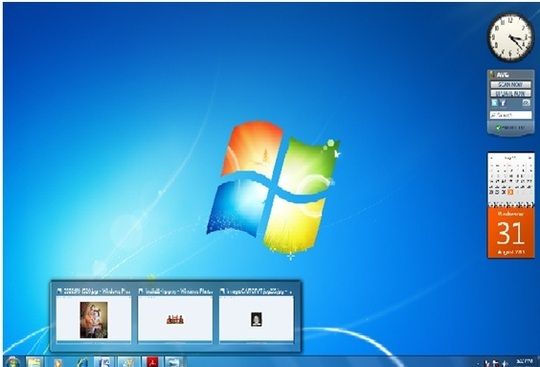
 You can use the taskbar at the bottom of your screen to switch between open programs. In Windows 7 you can set the order of the taskbar icons and they’ll stay in that order. The icons are larger, too. If you point to an icon, you’ll see a small, preview version of the page or program. If you point to this preview, you’ll see a full-screen preview. To open a program or file, click an icon or one of the previews.